
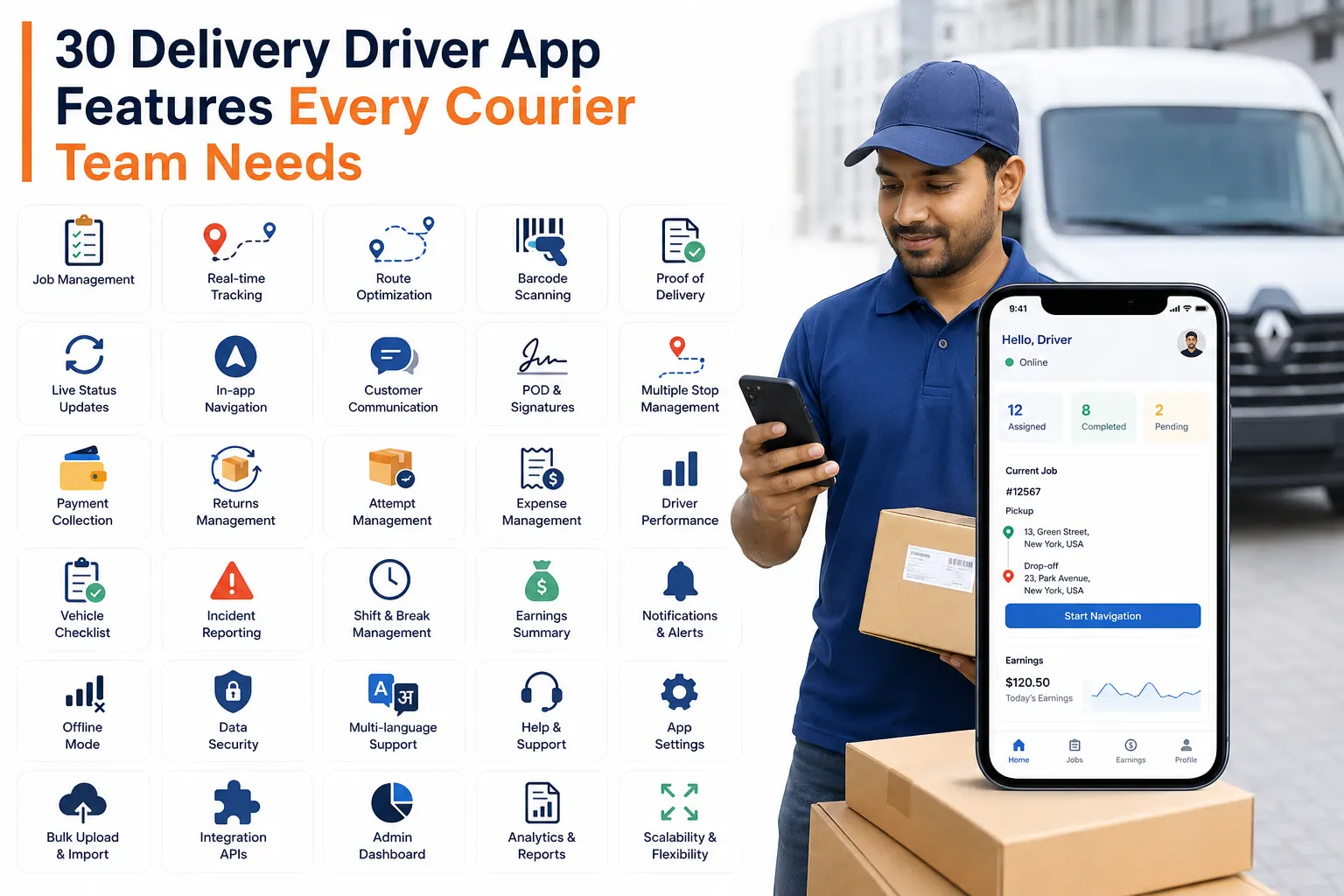

For any courier, logistics, same-day delivery, last-mile, white-glove, or multi-drop delivery business, drivers are the people who turn operational plans into real customer experiences. A dispatcher can create the best route, a customer can place the order correctly, and the admin team can manage the job in the system, but the final success of the delivery depends on what happens on the road.
This is where a delivery driver app, or courier driver app, becomes essential for keeping field operations connected.
A delivery driver app is not just a mobile tool for showing drivers where to go. It connects drivers, dispatchers, customers, parcels, vehicles, payments, tracking updates, and proof of delivery in one real-time workflow. For courier businesses that still depend on phone calls, paper manifests, WhatsApp messages, spreadsheets, or manual delivery updates, a driver app can reduce operational confusion and make every delivery more transparent.
In this blog, we will look at the most important delivery driver app features every courier business needs and how these features help improve delivery accuracy, driver accountability, customer communication, and day-to-day operations.
What Is a Delivery Driver App?
A delivery driver app is a mobile application used by delivery drivers, courier agents, and field teams to manage assigned jobs from pickup to delivery. It allows drivers to view routes, scan parcels, update job statuses, collect proof of delivery, communicate with dispatchers, report issues, collect payments, and complete delivery tasks directly from their mobile device.
For courier businesses, the driver app works as the operational bridge between the admin portal, dispatcher dashboard, customer portal, and tracking page. Every update made by the driver can be synced with the delivery management system so that the office team, customers, and end recipients can see accurate delivery progress.
A good delivery driver app should support drivers in real working conditions, including busy routes, multiple parcel drops, low-network areas, payment collections, failed delivery situations, vehicle checks, and customer handovers.
Why Courier Businesses Need a Delivery Driver App
Courier businesses handle time-sensitive operations. A single missed scan, delayed update, wrong address, failed handover, or missing proof of delivery can create customer complaints, billing disputes, and operational delays.
A delivery driver app helps courier businesses solve these problems by giving drivers a structured workflow. Instead of relying on manual instructions, drivers can follow each step in the app and complete the job with the correct status, proof, and delivery record.
For delivery businesses, this means:
- Better visibility of driver activity
- Faster delivery status updates
- Fewer manual calls between drivers and dispatchers
- More accurate proof of delivery
- Better customer and end-recipient communication
- Reduced paperwork
- Stronger delivery accountability
- Easier parcel tracking across pickup, hub, route, and delivery stages
Whether a business operates same-day courier services, last-mile parcel delivery, furniture delivery, white-glove delivery, freight handover, or e-commerce deliveries, a driver app helps keep field operations connected with the office.
1. Job Assignment and Task Visibility
The first feature every delivery driver app needs is clear job assignment. Drivers should be able to log in and see all jobs assigned to them for the day, including pickup details, delivery details, customer information, parcel count, special instructions, service type, time windows, and route sequence.
This removes confusion for drivers and reduces the need for dispatchers to repeatedly call or message them with job details.
For courier businesses, task visibility is important because every driver needs to know exactly what to collect, where to go, what to deliver, and what action is required at each stop. If the driver app displays incomplete or unclear job information, mistakes can happen quickly.
A strong driver app should allow drivers to view:
- Assigned pickup jobs
- Assigned delivery jobs
- Route sequence
- Parcel information
- Customer and end-recipient details
- Special delivery notes
- Service requirements
- Payment instructions
- Delivery time windows
- Job status history
This gives drivers a complete operational view before they start the route.
2. Real-Time Job Status Updates
Courier businesses need live delivery updates. A driver app should allow drivers to update the job status at every important stage, such as accepted, arrived at pickup, collected, loaded, out for delivery, arrived at delivery, delivered, failed, returned, or completed.
These updates should sync with the delivery management system so dispatchers and admins can monitor progress without chasing drivers manually.
Real-time status updates are especially useful for multi-drop delivery operations. When a driver completes one delivery, the system can immediately reflect the updated status. This helps the office team manage customer queries, route progress, and failed delivery exceptions more efficiently.
For customers and end recipients, real-time status updates can also support tracking notifications and delivery visibility through a connected delivery tracking app workflow.
3. Barcode Scanning for Pickup and Delivery
Barcode scanning is one of the most important features for courier and parcel delivery businesses. Drivers should be able to scan parcel barcodes during pickup, loading, unloading, delivery, return, or handover.
Scanning reduces manual entry errors and ensures the right parcel is linked to the right job. It also creates a clear scan history, which helps businesses track parcel movement across different stages.
For example, a driver can scan parcels while collecting them from a customer, loading them into a vehicle, unloading them at a hub, or delivering them to the end recipient. Every scan creates a digital record.
This is useful for:
- Reducing lost parcels
- Confirming parcel collection
- Verifying delivery
- Tracking parcels between hubs
- Avoiding wrong parcel handovers
- Improving route-level parcel control
- Supporting customer service investigations
For high-volume courier businesses, barcode scanning is not optional. It is a core requirement for parcel accuracy.
4. Proof of Delivery Collection
Proof of Delivery, also known as POD, is one of the most important features in a delivery driver app. It confirms that the delivery has been completed and provides evidence in case of disputes.
A driver app should allow drivers to capture different types of POD, depending on the delivery business model. This can include:
- Customer signature
- Delivery photo
- Parcel image
- Location stamp
- Delivery comments
- Recipient name
- Time and date of delivery
- Failed delivery photo
- Signed document collection
For courier businesses, POD helps protect against claims such as “parcel not received,” “wrong item delivered,” “damaged parcel,” or “delivery not attempted.” When the driver captures POD at the doorstep, the business has a proper record of what happened.
For white-glove, furniture, or 2-man delivery businesses, POD can also include condition photos, room-of-choice confirmation, installation completion notes, or customer comments.
5. Photo Capture for Delivery Evidence
Photo capture is useful for both successful and failed deliveries. Drivers should be able to take photos directly from the app and attach them to the job.
For successful deliveries, photos can show where the parcel was left, the condition of the item, or confirmation that the delivery was completed. For failed deliveries, photos can show a closed shop, inaccessible building, wrong address, damaged parcel, or any issue that prevented completion.
Photo evidence is valuable because it gives the office team clear context. Instead of relying only on a driver’s verbal explanation, dispatchers can see what happened on-site.
This is especially important for:
- Contactless deliveries
- Safe-place deliveries
- Large-item deliveries
- Damaged parcel reporting
- Failed delivery attempts
- Address access issues
- Customer disputes
A driver app should make photo capture quick and simple so drivers can complete the process without slowing down their route.
6. Signature Capture
Digital signature capture helps confirm that the recipient accepted the parcel. Instead of using paper delivery sheets, the driver can collect the recipient’s signature directly inside the app.
This is useful for businesses that deliver valuable parcels, business shipments, legal documents, medical items, furniture, or B2B goods where proof of handover is important.
Signature capture should be connected to the delivery record so the admin team can access it later if required. It should also be available for customer service teams when resolving delivery queries.
7. OTP-Based Delivery Verification
For secure deliveries, a driver app should support OTP verification. OTP, or One-Time Password, helps confirm that the parcel is handed over to the correct recipient.
In this flow, the recipient receives an OTP by SMS, email, or notification. At the time of delivery, the driver asks for the OTP and enters it in the app before marking the job as delivered.
This adds an extra layer of security and is helpful for:
- High-value parcels
- Sensitive shipments
- Customer-specific handover rules
- Marketplace deliveries
- E-commerce deliveries
- Identity-sensitive deliveries
OTP delivery verification reduces the risk of wrong handovers and helps businesses maintain stronger delivery compliance.
8. Driver Navigation with Map Support
A delivery driver app should provide easy navigation support. Drivers need quick access to maps so they can move from one stop to another without manually searching addresses.
Integration with navigation tools such as Google Maps or Waze helps drivers get directions, traffic updates, and route guidance. This saves time and reduces mistakes caused by incorrect address entry.
For courier businesses, navigation support improves delivery speed and reduces unnecessary calls between drivers and dispatchers.
A good app should allow drivers to open navigation from the job screen and move directly to the pickup or delivery location.
9. Route View and Stop Sequence
Drivers should be able to view their route and stop sequence clearly. For multi-drop deliveries, knowing the correct order of stops is important for route efficiency, especially when routes are supported by route optimization software.
The app should show the driver which stop comes first, which parcels belong to each stop, and what actions are required at each location.
This is useful for:
- Same-day courier routes
- Last-mile parcel delivery
- E-commerce delivery runs
- Furniture delivery routes
- Scheduled delivery services
- Multi-drop driver routes
When the route sequence is visible in the app, drivers do not need to depend on printed route sheets or manual notes.
10. Real-Time GPS Tracking
A delivery tracking app with real-time GPS tracking allows courier businesses to see where drivers are while they are on duty. This helps dispatchers monitor route progress, respond to customer queries, and manage delays.
GPS tracking also improves ETA accuracy because the system can understand where the driver is in relation to the next stop.
For businesses, GPS visibility helps answer questions such as:
- Has the driver started the route?
- Is the driver close to the delivery location?
- Which jobs are delayed?
- Which driver is nearest to a new job?
- Did the driver follow the planned route?
- Where was the driver when the delivery was marked complete?
Real-time driver tracking improves operational visibility and helps reduce uncertainty.
11. ETA Updates
Estimated Time of Arrival is important for both customers and end recipients. A driver app should support ETA visibility so delivery businesses can provide more accurate delivery updates.
When driver location, route progress, and job status are connected, the system can help inform customers when their delivery is expected.
This is especially useful for businesses handling scheduled deliveries, furniture deliveries, grocery deliveries, medical deliveries, or any service where the recipient needs to be available.
Accurate ETA updates can reduce missed deliveries and customer support calls.
12. Driver-Dispatcher Communication
A driver app should include direct communication between drivers and dispatchers. When drivers face problems on the road, they need a quick way to contact the office.
Driver-dispatcher chat can help with:
- Address clarification
- Customer not available
- Access issues
- Route changes
- Special delivery instructions
- Delays
- Damaged parcel reporting
- Payment questions
- Failed delivery guidance
Instead of using scattered phone calls or personal messaging apps, an in-app chat keeps communication connected with delivery operations. It also helps maintain transparency because delivery-related communication can be logged.
13. Offline Mode
Drivers often work in areas with weak or no internet connectivity. A delivery driver app should support offline mode so drivers can continue working even when the network is unavailable.
Offline mode allows drivers to scan parcels, update statuses, capture POD, add comments, and complete tasks without losing data. Once the internet connection returns, the app can sync the saved information with the system.
This is important for courier businesses operating in rural areas, basements, warehouses, large buildings, remote delivery zones, or locations with poor mobile signals.
Without offline mode, drivers may be forced to delay updates, call dispatchers manually, or write notes separately. That increases the risk of missing data.
14. Vehicle Inspection and Fault Reporting
For delivery businesses that manage their own fleet, vehicle inspection is an important driver app feature. Drivers should be able to complete vehicle checks before starting a route and report any faults directly from the app.
Vehicle inspection can include checking tyres, lights, brakes, body condition, mirrors, fuel level, documents, or other safety-related items.
Fault reporting allows drivers to notify the business when something is wrong with the vehicle. This helps owners and fleet managers take action before small issues become bigger operational problems.
This feature is useful for:
- Fleet safety
- Driver accountability
- Vehicle maintenance
- Compliance records
- Reducing breakdown risk
- Managing off-road vehicles
A vehicle check feature is especially helpful for courier companies with multiple drivers and shared vehicles.
15. Vehicle Switching and Usage Tracking
Drivers may use different vehicles depending on the route, parcel type, or shift. A delivery driver app should allow drivers to switch vehicles and record which vehicle they used for a route.
This helps businesses track vehicle usage and driver responsibility. If an issue is reported later, the admin team can check which driver used which vehicle and when.
Vehicle usage tracking is useful for fleet management, cost control, maintenance planning, and operational accountability.
16. Cash on Delivery Collection
Some courier and e-commerce delivery businesses still handle Cash on Delivery, also known as COD. A driver app should allow drivers to view COD amounts, collect payments, and update payment status from the app.
This helps the business keep a clear record of cash collected against each order. It also reduces confusion between drivers, dispatchers, and finance teams.
A COD feature should support:
- COD amount visibility
- Payment confirmation
- Collected amount entry
- Payment comments
- Cash collection reporting
- Job-level payment record
For businesses handling COD orders, this feature is critical for financial transparency.
Must Visit: Turn Delivery Enquiries into Confirmed Bookings Without the Back-and-Forth
17. Payment Verification and Shipment Cost Updates
In some courier operations, drivers may need to verify payment or update shipment cost during collection. For example, shipment details may change based on actual parcel quantity, weight, service type, or customer request.
A delivery driver app that allows cost confirmation or shipment cost updates can help keep order records more accurate.
This feature is useful when drivers collect parcels directly from customers and need to confirm charges before completing the pickup.
18. Failed Delivery Attempt Management
Not every delivery is successful on the first attempt. A driver app should allow drivers to mark failed deliveries properly and add the reason.
Common failed delivery reasons include:
- Recipient not available
- Wrong address
- Access issue
- Refused delivery
- Damaged parcel
- Business closed
- Payment not available
- OTP not provided
- Unsafe delivery location
The driver should also be able to add photos and comments to support the failed attempt record.
This helps dispatchers decide what should happen next, such as rescheduling the delivery, contacting the customer, returning the parcel, or assigning another attempt.
For courier businesses, failed attempt tracking is important because it helps identify repeated delivery issues and improve first-attempt success.
19. Return Task Management
Courier businesses also need to manage returns. A delivery driver app should support return tasks so drivers can collect return parcels, scan them, update their status, and bring them back to the hub or warehouse.
Return handling is important for e-commerce businesses, parcel delivery companies, and last-mile delivery providers.
A structured return process helps businesses avoid missing return parcels and gives customers better visibility.
20. Manual Waybill Creation
Sometimes drivers collect parcels that are not already recorded in the system. In this case, manual waybill creation is useful.
A driver app can allow drivers to scan a parcel barcode, enter parcel quantity, capture an image, and create a basic order record from the field.
This reduces paperwork and helps businesses capture shipment details in real time. It is useful for courier companies where drivers collect parcels directly from customers, warehouses, stores, or business locations.
21. Intra-Hub Load and Unload Scanning
For businesses that operate with hubs, depots, or warehouses, a driver app should support load and unload scanning. Drivers or agents can scan parcels when loading them into a vehicle or unloading them at a hub.
This creates better control over parcel movement and reduces the risk of misplaced parcels.
Hub scanning is useful for:
- Parcel sorting
- Route preparation
- Driver loading verification
- Hub transfer tracking
- Warehouse-to-driver handover
- Return parcel processing
For last-mile delivery businesses, this feature helps maintain parcel accuracy before the route begins.
22. Signed Paper Verification
Some deliveries require collection of signed physical documents from the recipient. A driver app should support signed paper verification by reminding drivers to collect required documents before completing the delivery.
This is useful for business deliveries, legal deliveries, high-value goods, regulated shipments, or any delivery where paperwork is part of the handover process.
The app can prevent the driver from marking the delivery complete until the required document collection step is finished.
23. Driver Route History
A driver app should allow drivers to view their completed routes, drops, and delivery history. This helps drivers understand their performance and review completed work.
For businesses, route history supports accountability. If there is a question about when a delivery happened or what route was followed, the system can provide a clear record.
Route history can include completed jobs, delivery times, scan history, POD details, earnings, failed attempts, and completed route progress.
24. Driver Earnings Visibility
For businesses that pay drivers based on jobs, routes, drops, distance, or delivery volume, earnings visibility can be useful. Drivers can view completed work and understand how their earnings are calculated.
This helps reduce payment confusion and improves transparency between drivers and the business.
25. Push Notifications
Drivers should receive instant notifications for new jobs, route updates, schedule changes, dispatcher messages, urgent instructions, or job cancellations.
Push notifications help drivers stay updated without constantly refreshing the app.
For courier businesses, this improves response time and reduces missed instructions.
26. Multi-Language Support
Courier businesses may work with drivers from different language backgrounds. Multi-language support helps drivers use the app in their preferred language, which can reduce mistakes and improve adoption.
A driver app should be simple enough for field teams to use quickly, even during busy delivery routes. Language flexibility improves usability and helps drivers follow instructions more confidently.
27. Secure Login and Driver Access Control
A driver app should have secure login so only authorized drivers can access jobs. If multiple drivers use shared devices, the app should allow secure login and logout to protect job and customer data.
Driver access control helps ensure each driver sees only the jobs assigned to them.
28. Mobile-Friendly Design
A driver app must be easy to use. Drivers work under time pressure, often while moving between stops, handling parcels, speaking to customers, and following route instructions. The app should not be complicated.
A good driver app should have:
- Clear buttons
- Simple job screens
- Fast scanning
- Easy navigation
- Quick POD capture
- Minimal manual typing
- Clear status options
- Reliable syncing
If drivers find the app difficult to use, they may avoid updating jobs properly. Usability is critical for successful adoption.
29. Android and iOS Availability
Courier businesses may have drivers using different devices. A delivery driver app should support both Android and iOS so the business can onboard drivers without device limitations.
This gives businesses more flexibility when working with employed drivers, subcontracted drivers, or temporary delivery teams.
30. Data Sync with Admin and Dispatcher Portals
The driver app should not work in isolation. It must sync with the admin portal, dispatcher portal, customer portal, and reporting system.
When the driver scans a parcel, updates a status, collects POD, reports a failed attempt, or completes a job, the information should update in the central delivery management system.
This connected workflow helps courier businesses manage operations from one place instead of collecting updates from multiple channels..
How a Driver App Helps Courier Businesses Improve Operations
A delivery driver app improves courier operations by making field activity visible, structured, and trackable. It reduces the dependency on phone calls, paper records, and manual updates.
For delivery businesses, the biggest benefits include:
Faster Job Completion
Drivers can view jobs, navigate to stops, scan parcels, capture POD, and update statuses from one mobile app. This helps reduce delays caused by manual processes.
Better Parcel Accuracy
Barcode scanning and load/unload verification reduce the chance of wrong deliveries, missed parcels, and lost shipments.
Stronger Driver Accountability
GPS tracking, vehicle usage, route history, scan records, and POD create a clear record of driver activity.
Improved Customer Experience
Real-time updates, ETA visibility, accurate tracking, and digital POD help customers and end recipients stay informed.
Reduced Admin Work
Dispatchers and office teams do not need to manually chase drivers for every update. The app sends delivery information back to the system.
Better Proof and Dispute Handling
Photos, signatures, OTP verification, comments, timestamps, and delivery records help businesses respond to complaints with evidence.
More Reliable Delivery Planning
Driver status, route progress, failed attempts, and scan data help businesses make better planning decisions.
Which Courier Businesses Need a Delivery Driver App?
A delivery driver app is useful for almost every delivery business, including:
- Same-day courier companies
- Last-mile delivery businesses
- Parcel delivery companies
- E-commerce delivery providers
- Furniture delivery businesses
- White-glove and 2-man delivery companies
- Medical courier services
- Grocery and local delivery businesses
- Freight forwarding businesses managing pickup or handover visibility
- Multi-drop delivery operators
- On-demand courier businesses
Any business that needs real-time driver visibility, delivery proof, route updates, parcel scanning, or customer communication can benefit from a delivery driver app.
Final Thoughts
A delivery driver app is no longer just a convenient tool for courier businesses. It is a core part of modern delivery operations.
The right driver app helps drivers complete jobs faster, gives dispatchers real-time visibility, improves customer communication, strengthens proof of delivery, and reduces operational errors. From barcode scanning and GPS tracking to COD collection, OTP verification, offline mode, vehicle checks, and driver-dispatcher chat, each feature plays an important role in making deliveries smoother and more reliable.
For courier businesses that want to grow, improve service quality, and manage delivery operations more professionally, investing in a strong delivery driver app is a practical step toward better control, better visibility, and better delivery performance.
A well-designed delivery driver app gives drivers everything they need on the road and gives the business the visibility it needs to manage every delivery with confidence.
