
Access Control in InstaDispatch defines what each user can see and perform inside the system based on their assigned role.
It ensures:
- Controlled access to system features
- Data security across teams and branches
- Clear separation of responsibilities
Every internal user (team member) operates within permissions defined by their role.
1. Default Roles in InstaDispatch
InstaDispatch comes with a set of predefined system roles. These roles already have pre-configured access permissions to the portal.
Default Roles:
- Owner
- Admin
- Dispatcher
- Finance
- Manager
- Sales
- These roles are system-defined
- Their access permissions are fixed by default
- Admin/ Owner users cannot modify the access level of these default roles
2. When Access Modification is Required
If your business requires:
- Different permission levels
- Custom workflows
- Restricted or expanded access
👉 You cannot edit default roles. Instead, you must create a new custom role.
3. Creating a New Role
To customize access control, InstaDispatch allows you to create new roles with specific permissions.
Steps to Create a Role:
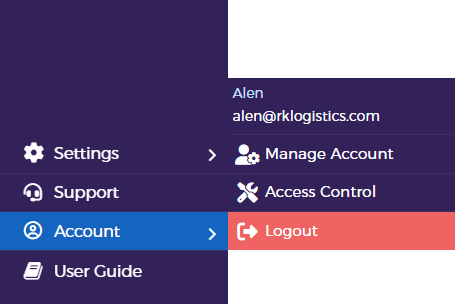
Go to Account and click Access Control from side Panel
A new window will open Click on Add Role
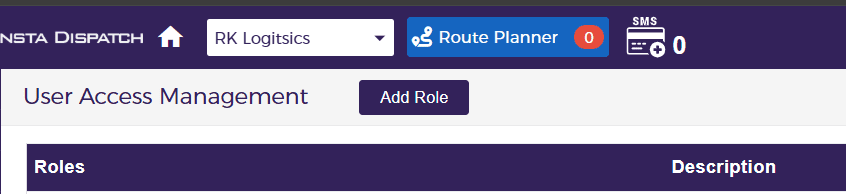
Define Role name and Description and click on create Role. The newly created role will appear in the roles list and can be used across the system.
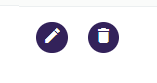
Now click on the edit option and select
4. Assigning Role to a Team Member
A role can be assigned to a team member in two ways:
4.1 During Team Member Creation
While creating a new user:
- Go to Working Space and select Team
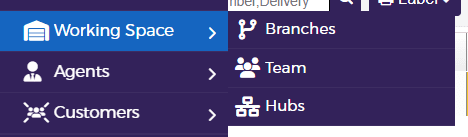
- Click on Add Dispatcher/ User
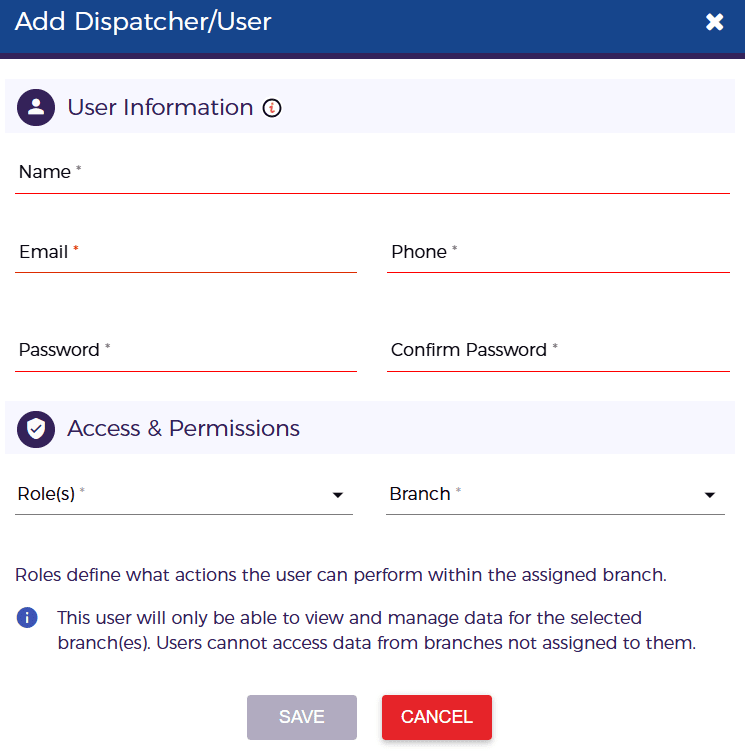
- A pop-up will open to enter user details. Enter the details and select the relevant Role for the User and click on Save
4.2 Editing an Existing User
To change access for an existing team member:
- Go to Working Space and select Team
- Locate the user
- Click on Edit
- Update the Role
- Save changes
5. How Access Control Works
- Every user is assigned one role
- The role determines:
- What modules they can access
- What actions they can perform
- Access can be controlled at:
- Feature level
- Module level
